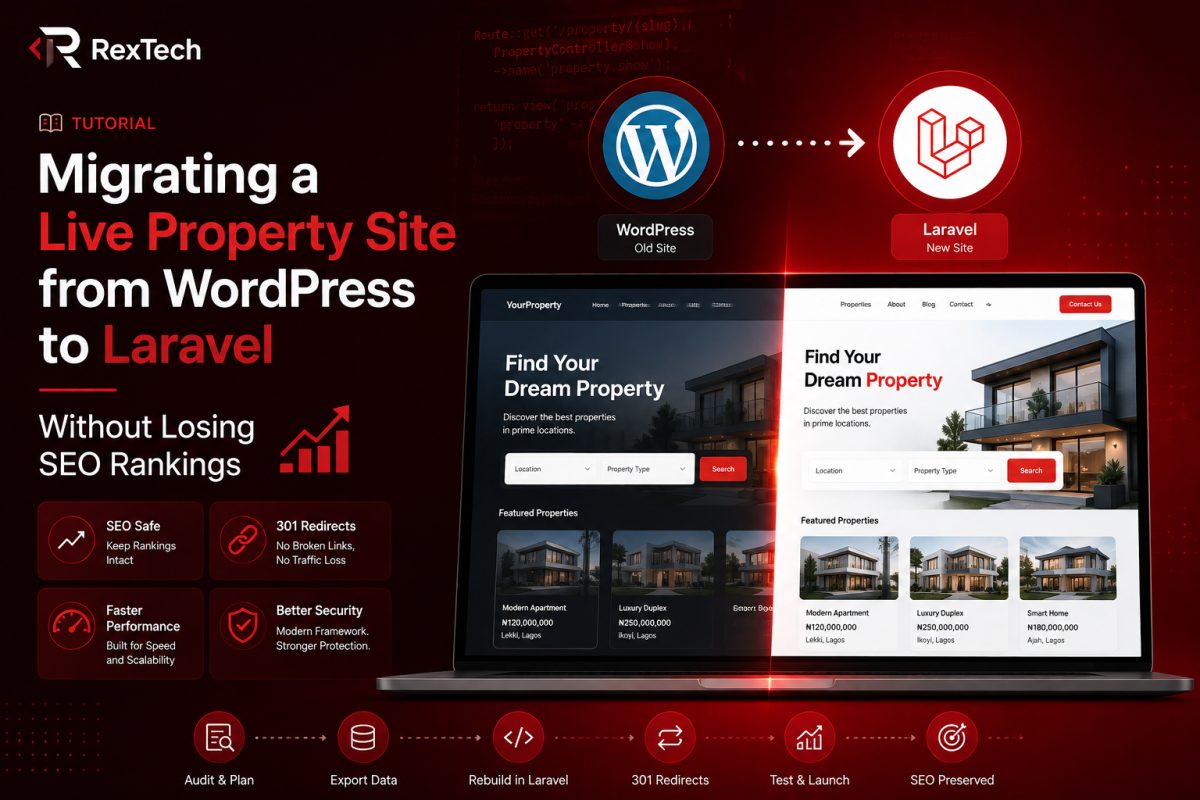
Rebuilding a live, revenue-generating website from the ground up is one of those projects that sounds exciting in theory and genuinely nerve-wracking in practice. When I took on the full rebuild of adefeyproperties.com, moving it from WordPress to a custom Laravel application, I wasn't just building a new site. I was replacing the engine of a business while it was still driving down the highway. This post walks through how I approached the entire rebuild, from schema design to the pre-launch checklist, and the specific decisions I made to protect the site's SEO standing along the way.
Why Move Away from WordPress at All
Adefeyproperties.com had been running on WordPress for years, built with a page builder and a patchwork of plugins for property listings, agent profiles, and blog content. It worked, but it had accumulated the kind of technical debt that's common with WordPress sites that grow organically over time rather than being planned from day one. Every new feature request meant either finding a plugin that mostly did what was needed and hacking around its limitations, or writing custom PHP that lived awkwardly inside the WordPress theme structure, fighting against the CMS rather than working with it.
The property management side of the business had specific needs that WordPress and its plugin ecosystem weren't built for. Shortlet booking with real availability calendars, agent and buyer dashboards with role-based permissions, a proper payment and ledger system, none of this maps cleanly onto WordPress's content-first architecture. You can force it to happen with enough plugins and custom code, but at some point you're spending more effort working around the CMS than you would spend building the actual application you need.
So the decision was made to rebuild the entire platform in Laravel, a framework I already had deep experience with from other projects, and one that gives you full control over the data model, the business logic, and the performance characteristics of the site instead of inheriting WordPress's generic content structure.
The Real Risk: Losing What Already Worked
Here's the thing about rebuilding a live site that already has years of SEO equity built up. Google has indexed thousands of pages from the WordPress site. Those pages have rankings, backlinks pointing at specific URLs, and years of accumulated trust signals. A poorly executed migration can tank all of that in weeks, sometimes even in days if the technical mistakes are bad enough. I've seen businesses lose 40 to 60 percent of their organic traffic from a botched replatforming, and recovering from that kind of drop can take six months to a year even when everything else about the new site is objectively better.
So before writing a single line of Laravel code, I treated this as much as an SEO project as an engineering project. That framing shaped almost every decision that came after.
Step One: Full Content and URL Audit
Before touching any code, I exported a complete inventory of every indexed page on the WordPress site. This meant pulling data from Google Search Console to see which URLs were actually receiving organic traffic and impressions, not just crawling the site structure blindly. There's an important distinction here that a lot of people miss when planning a migration: not every page on your old site deserves to survive the move. Some pages are dead weight, thin content that never ranked for anything, duplicate category pages created by plugin defaults, or old blog posts that were superseded by better content years ago.
I categorized every URL into three buckets. Pages that were performing well and needed a direct, permanent redirect to an equivalent page on the new site. Pages that were low value or duplicate and could be safely retired without a redirect. And pages that needed to be restructured, meaning the content should survive but the URL structure itself needed to change to fit the new Laravel routing.
This audit alone took several days, but it's the single most important step in protecting SEO through a migration. Skipping it and just "moving everything over" is how sites lose their rankings.
Designing the Database Schema
With the content audit done, I moved into schema design, which for a property platform touches almost every part of the business. I didn't want to just replicate WordPress's post-and-meta structure in a relational database, that would have been carrying the old CMS's limitations into the new system. Instead I designed the schema around the actual entities the business deals with.
Properties needed their own table with proper typed columns rather than WordPress's generic meta key-value pairs, things like price, property type, bedroom and bathroom counts, square footage, location data with actual latitude and longitude fields rather than a text address, and status flags for whether a listing was for sale, for rent, or available as a shortlet. Having these as real typed columns instead of loosely structured meta fields made filtering, sorting, and searching dramatically faster and easier to reason about, both for me as the developer and for the database itself.
Agents and buyers needed separate but related tables, since they have different permissions and different data associated with them. An agent needs a profile, a listing history, and commission tracking. A buyer needs saved searches, booking history, and payment records. I built these as distinct models with clearly defined relationships rather than trying to force everyone into a single generic "user" table with a role flag and hoping the application logic sorts out the rest. Roles were still handled through a permissions system, but the underlying data structure reflected the real differences between these types of users.
For the shortlet booking system specifically, I needed a bookings table that tracked check-in and check-out dates, payment status, and a relationship to a separate availability table per property, since a naive approach of just checking for overlapping bookings doesn't scale well once you add features like blocked dates for maintenance or owner-reserved periods. I built the availability logic as its own concern, queried independently from the booking records themselves, which made it much easier to add features like calendar syncing later without touching the core booking logic.
The Lifestyle blog, which had been a fairly standard WordPress blog, got its own posts table with categories and tags, but I made a deliberate choice to keep this simpler than the property data, since blog content doesn't need the same relational complexity. Overengineering a blog schema when a straightforward posts and categories structure will do is its own kind of mistake, one I've learned to avoid after seeing projects where every part of the schema gets equally complex regardless of whether that complexity is actually needed.
Building the Filament Admin Panel
For the admin side, I used Filament, a Laravel admin panel package that lets you build out CRUD interfaces quickly while still giving you full control when you need custom behavior. This was a significant upgrade over the WordPress admin experience, where managing property listings meant navigating a generic post editor retrofitted with custom fields plugins.
With Filament, I built dedicated resources for properties, bookings, agents, and buyers, each with fields and validation rules that actually matched the business logic rather than generic WordPress post fields. Property listings got image galleries with proper ordering, structured location pickers tied to a map component, and status workflows so an agent could move a listing from draft to published to sold without needing developer intervention or a confusing WordPress workflow plugin.
The booking management side of Filament became the operational hub for the shortlet side of the business. Staff could see upcoming check-ins, flag payment issues, and manually adjust availability for maintenance periods, all from a single dashboard instead of digging through a WordPress calendar plugin's limited interface.
One thing I want to highlight here because it made a real difference: I built custom Filament widgets for dashboard summaries, things like total active listings, bookings this month, and pending payment confirmations, so that whoever's managing the platform day to day gets an at-a-glance operational view the moment they log in, rather than having to click into separate sections to piece together what's happening on the platform.
Agent and Buyer Dashboards
Beyond the admin panel, I built separate front-end dashboards for agents and buyers, something that simply didn't exist in any meaningful way on the WordPress version. Agents needed a place to see their active listings, track inquiries coming in from potential buyers, and view basic performance metrics on their properties, things like view counts and inquiry conversion. Buyers needed a dashboard to track their saved properties, see the status of any bookings they'd made, and manage their payment history.
Building these as proper authenticated dashboard views in Laravel, rather than trying to bolt member-only content onto WordPress with a membership plugin, gave a much cleaner and faster experience. Page loads for these dashboards are noticeably faster than the equivalent WordPress-plugin-driven pages ever were, partly because Laravel isn't dragging along the overhead of a dozen plugins each doing their own database queries on every page load.
The Mobile Navigation Problem
Not everything in a rebuild goes according to plan, and I want to be honest about one issue that took longer to resolve than I expected: mobile navigation. The original WordPress theme had a mobile menu that, while not elegant, at least worked reliably across devices because it had years of real-world testing and plugin maintenance behind it. My first pass at the Laravel front-end's mobile navigation, built with a fairly standard hamburger menu pattern, had a subtle bug where the menu would sometimes fail to close after a link was tapped on certain Android browsers, leaving a semi-transparent overlay stuck on screen that blocked interaction with the rest of the page until the user refreshed.
Tracking this down took a frustrating amount of trial and error, because it didn't reproduce consistently in desktop browser dev tools' mobile emulation mode. It turned out to be a timing issue between the click event handler that was supposed to close the menu and a CSS transition that hadn't finished, causing the overlay's pointer-events to remain active during the transition window on certain browser rendering engines. The fix ended up being straightforward once identified, tying the overlay's interactivity state directly to the transition's completion event rather than to the click handler alone, but it's a good reminder that mobile browser quirks, especially around CSS transitions and touch events, don't always show up in the tools you'd expect them to show up in during development.
SEO Foundations Built Into the Laravel App
This is where the earlier content audit paid off directly. Every URL from the old WordPress site that had meaningful organic traffic got a corresponding route in the new Laravel application, and I set up 301 permanent redirects at the routing level for every URL that changed structure. This isn't something you bolt on after launch, it needs to be planned as part of the URL structure design itself, because retrofitting redirects after the fact means you're working from incomplete information about what actually needs redirecting.
I built out proper meta tag management for every page type, property listings, blog posts, agent profiles, with dynamic title tags and meta descriptions pulled from the actual content rather than generic templated text. Structured data, schema.org markup for real estate listings specifically, RealEstateListing and Residence types, was built directly into the property page templates so that search engines can understand and potentially display rich results for listings, something the old WordPress SEO plugin was only partially handling.
An XML sitemap was generated dynamically from the actual database rather than relying on a plugin's caching behavior, which means it stays accurate as properties are added, sold, or removed without needing manual regeneration. I made sure this sitemap was submitted to Search Console immediately upon each significant content change during the transition period, so Google could recrawl and re-index the new URL structure as quickly as possible rather than waiting on its normal crawl schedule.
Page speed was another area where the Laravel rebuild had a natural advantage. WordPress with a dozen active plugins, each adding their own database queries, JavaScript, and CSS, tends to be slow by default unless you invest heavily in caching and optimization plugins on top of the platform. The Laravel application, built with only the queries and assets actually needed for each page, was noticeably faster out of the box, and page speed is a real, if modest, ranking factor as well as a meaningful factor in bounce rate and conversion.
The Pre-Launch Checklist
As the rebuild approached completion, I put together a pre-launch checklist to make sure nothing critical got missed in the transition, because with a project this size, it's easy to have everything working individually while missing something that only becomes obvious once real traffic hits the new system.
This checklist covered confirming every high-traffic URL from the audit had a working redirect in place and tested manually, not just assumed to be correct because the routing logic looked right in code. It covered verifying structured data was rendering correctly using Google's Rich Results testing tool for a sample of property pages across different property types. It covered making sure Google Analytics tracking was properly installed and firing events correctly on the new site, since a common and costly mistake in migrations is launching a beautiful new site while accidentally leaving analytics disconnected for days or weeks, which means you fly blind on real user behavior during the most critical early period after launch.
It also covered basic but easy to overlook items, confirming SSL certificates were properly configured for the new hosting environment, checking that forms across the site, contact forms, inquiry forms, booking forms, were actually delivering submissions to the right place and not silently failing, and making sure the site behaved correctly across a range of real devices and browsers rather than just the one or two I'd been developing and testing on most frequently.
What's Still Left to Do
I want to be transparent that this rebuild, even at near-launch stage, still has a few items outstanding rather than pretending everything is completely finished. The AJAX-powered half-map view, where property listings display alongside an interactive map that updates dynamically as a user scrolls or filters results, similar to what you'd see on major real estate platforms internationally, is still being built out. This is a genuinely complex piece of frontend and backend coordination, since it requires efficient geospatial querying on the backend combined with smooth, responsive map interactions on the frontend, and I'd rather ship it properly than rush a half-working version just to hit an arbitrary launch date.
Queue worker configuration for the production server is another remaining item. The application uses Laravel's queue system for things like sending booking confirmation emails and processing payment webhooks asynchronously rather than blocking the user's request while these operations complete. Getting the actual production queue worker running reliably, with proper process monitoring so it automatically restarts if it crashes, is infrastructure work that needs to happen before full launch but is straightforward compared to the application logic itself.
Final Google Analytics and Search Console configuration for the production domain, as opposed to the staging environment I've been testing against, is also on the remaining list, along with a final full pass through the pre-launch checklist once these last pieces are in place.
Reflections on the Process
Looking back at this project, the biggest lesson reinforced for me is that a platform migration of this scale is not primarily an engineering challenge, even though the engineering is substantial and genuinely difficult in places. It's a risk management challenge where the engineering serves a business goal, protecting and ideally improving the site's search visibility and user experience, rather than being an end in itself.
The temptation with any rebuild is to get excited about the new technical capabilities, and Laravel genuinely does give you capabilities that WordPress and its plugin ecosystem struggle to match for a business this operationally complex. But excitement about new technical capability has to stay grounded in the reality that a live business's traffic and revenue depend on getting the unglamorous parts right too, the redirects, the structured data, the analytics continuity, the mobile edge cases nobody thinks about until a real user hits them on a real device.
If I were advising someone else about to take on a similar rebuild, I'd tell them to budget real time for the content and URL audit before writing any application code, resist the urge to treat the migration as "done" once the new site functionally works and instead run it through a structured pre-launch checklist, and accept that a few features, in this case the half-map view and some final infrastructure polish, are better shipped slightly after launch than rushed to hit a deadline that compromises the parts of the site that actually protect the business's existing traffic and revenue.